Velora Resume vs Teal: which fits your job search?
Both tools help you tailor resumes to job descriptions and prepare for interviews. The difference is the workflow: a focused iPhone app versus a broader job-search workspace.
Try Velora Resume on iPhone ↗Free to download · Optional in-app purchases
Quick answer
Choose Velora Resume if you want a dedicated iPhone app to upload your resume, add a job posting, generate a tailored resume, and practice an interview based on that role.
Choose Teal if you want a broader resume-building and job-tracking workspace with saved jobs, match scores, editable resume content and AI interview practice.
Both tools offer resume tailoring and interview practice. Neither guarantees an interview or a job offer.
Feature comparison
| Feature | Velora Resume | Teal |
|---|---|---|
| Primary experience | Dedicated iPhone app | Broader resume and job-search workspace |
| Job-specific resume tailoring | Yes — resume + job posting | Yes — Job Matcher and AI-assisted tools |
| Preserving truthful experience | Designed not to invent qualifications; review results | Teal advises users not to claim skills they lack |
| AI mock interviews | Yes — questions based on resume and target job | Yes — AI Interview Agent and Interview Practice Hub |
| Interview feedback | Yes — answer evaluation and example answers | Yes — performance and answer feedback |
| Job tracking | Not a core advertised feature | Yes — dedicated Job Tracker |
| Resume match score | Not the primary value proposition | Yes — job match and keyword analysis |
| Pricing model | Free download; optional in-app purchases | Free plan and paid Teal+ features |
Based on publicly documented product features; plans and availability may change.
Where Velora Resume fits best
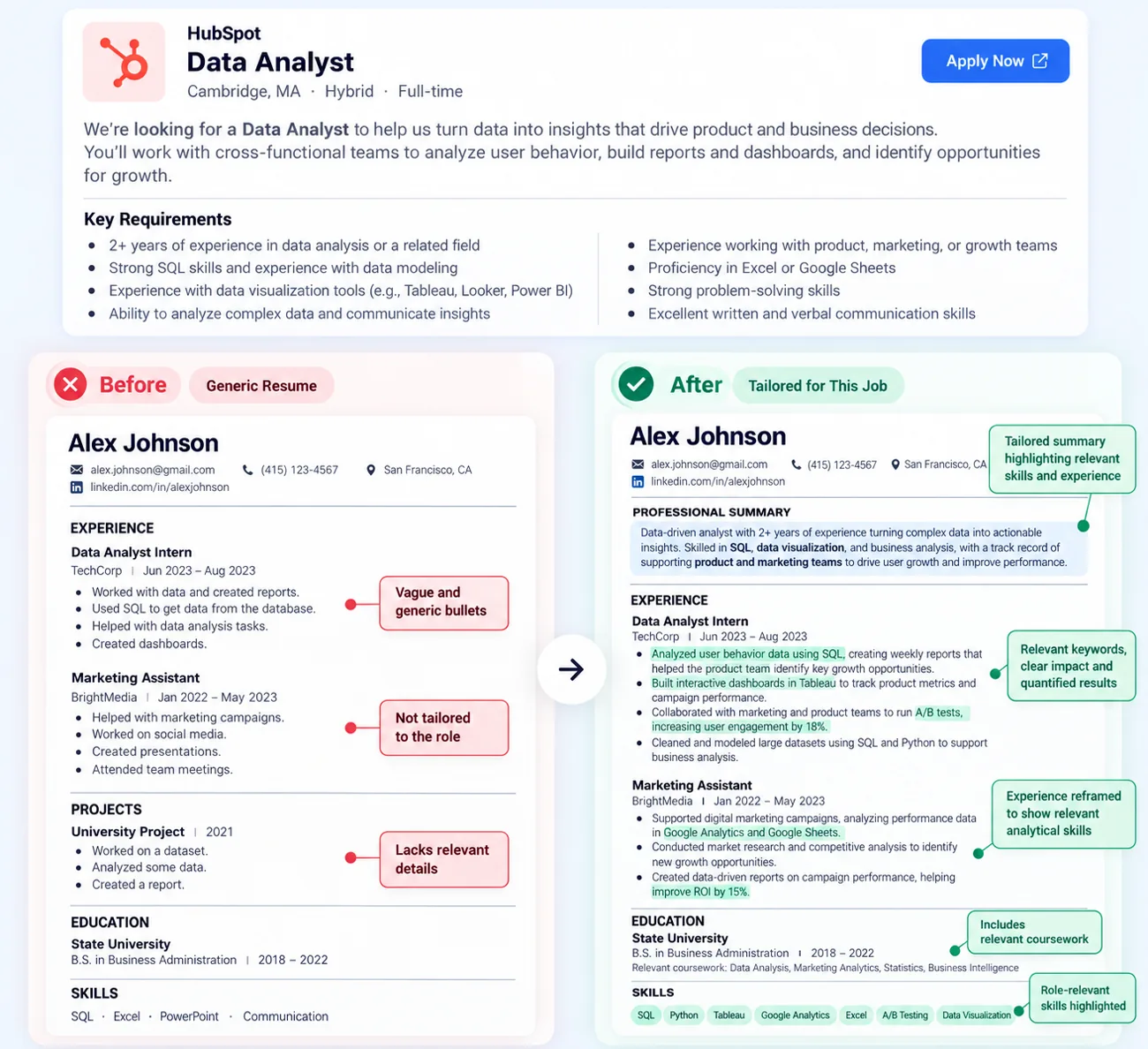
Applying to several jobs from your iPhone? Velora Resume keeps the workflow focused: upload your existing resume, paste a job description or link, review a job-tailored resume, and practice questions tied to that position. The goal is to help you spend less time repeatedly rewriting your application and more time preparing for the actual role.
Where Teal fits best
Teal is especially useful if you want to manage many applications in one place, maintain a master resume, compare job requirements with resume keywords, and organize tailored resume versions. Teal also offers AI interview practice, so it would be inaccurate to describe interview coaching as a Velora-only feature.
Explore Teal's own documentation: resume tailoring, AI Interview Agent, and resume builder.
How to choose
For a focused iPhone application-and-interview workflow, try Velora Resume. For deeper job tracking and resume-library management, evaluate Teal. The right choice depends on whether you prioritize mobile simplicity or managing your entire job search in one workspace.
Frequently asked questions
Is Velora Resume an alternative to Teal?
Yes, if you want an iPhone-first workflow for tailoring an existing resume to a job posting and practicing role-specific interview questions. Teal may be a better fit if you need an extensive job tracker and resume management workspace.
Does Teal offer AI interview practice?
Yes. Teal offers an AI Interview Agent and Interview Practice Hub, including role-based sessions and feedback. Interview practice is not exclusive to Velora Resume.
Can both tools tailor resumes to job descriptions?
Yes. Teal offers Job Matcher, keyword matching and resume curation. Velora Resume uses an uploaded resume and target job posting to generate a tailored version based on the user's actual experience.
Which should I choose for iPhone?
Velora Resume is available as a dedicated iPhone app. Teal provides a broader job-search workspace; check Teal's current platform support and try its workflow before choosing.